
Floating / Sticky Cart Button
A circular cart icon pinned to a corner of every page.
A circular cart icon pinned to a corner of your storefront pages. Always-on access to the cart drawer — clicking it opens the drawer.
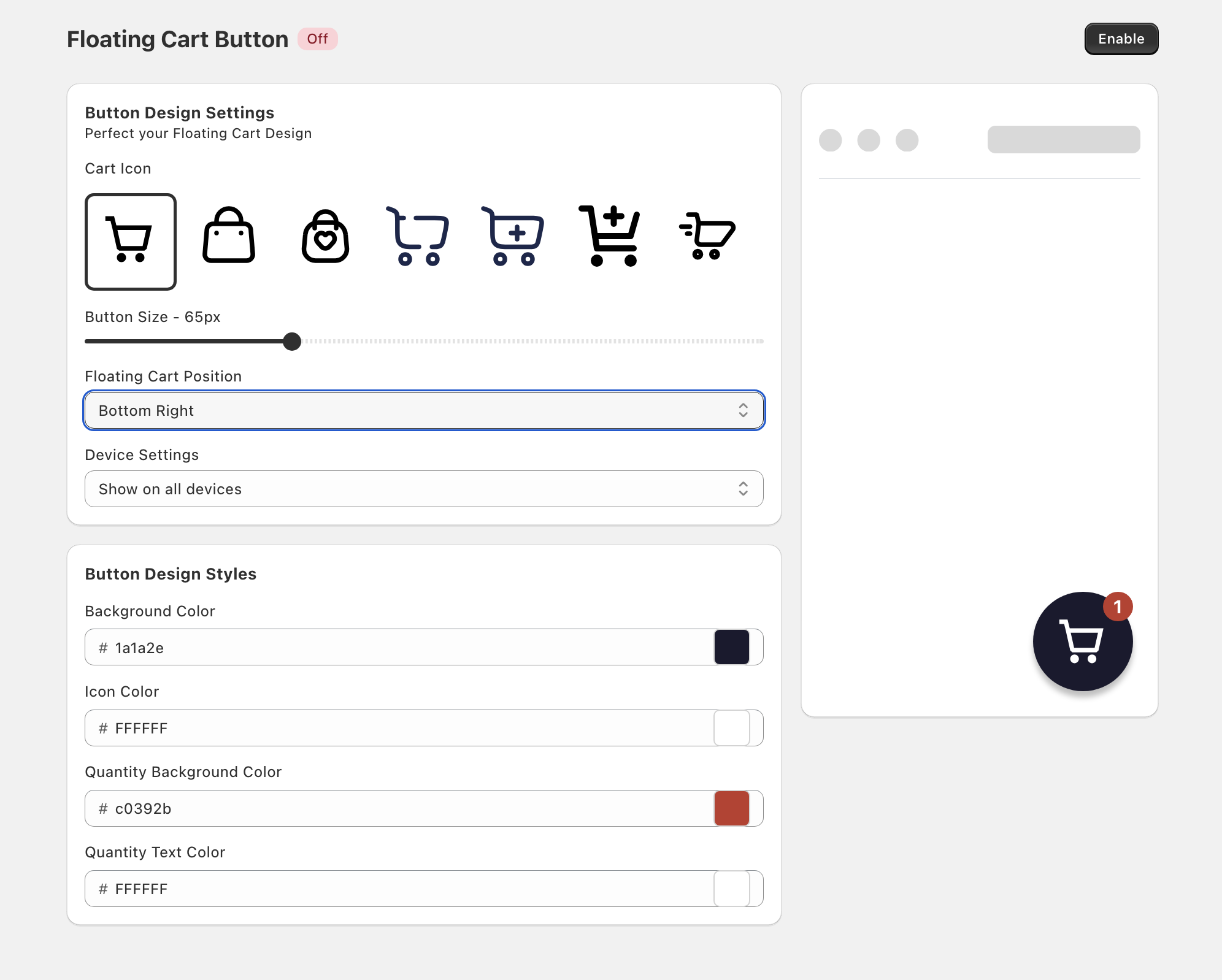
Set it up
- In the Oxify app's left menu, click Floating Cart Button.
- Click Enable (top right). The page title shows an On badge once it's enabled.
- Under Button Design Settings, choose the Cart Icon, Button Size, Floating Cart Position, and Device Settings.
- Under Button Design Styles, set the colors.
- Click Save in the save bar.
The preview on the right shows the button in place.
Floating Cart Position
- Bottom Right (default)
- Bottom Left
- Top Right
- Top Left
- Center Left
- Center Right
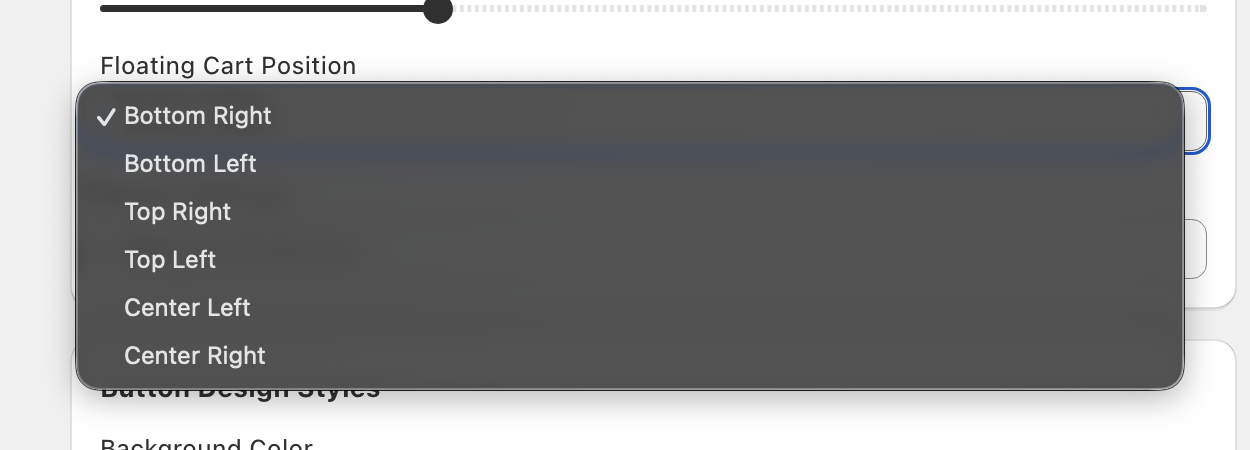
Bottom Right is the default, but many chat widgets also sit there — if they overlap, move the button to another corner.
Cart Icon
Choose one of the seven built-in cart icons. There is no option to upload your own icon.
Button Size
Button Size sets the diameter of the circle in pixels. The default is 65px and the slider starts at 50px.
Badge
Shows the live cart item count in a small circle on the button. It updates as items are added or removed and can't be hidden, but you can style it with Quantity Background Color and Quantity Text Color. Background Color and Icon Color style the button itself.
Device Settings
Choose Show on all devices (default), Show on mobile only, or Show on desktop only. On this setting, "mobile" means screens narrower than 768px.
Mobile only is a common configuration: many themes already have a desktop cart icon in the header, so adding a floating one creates redundancy. On mobile, where header space is tighter, the floating button shines.