
Create a reward tier
Set up your first free shipping, discount, or free gift reward tier.
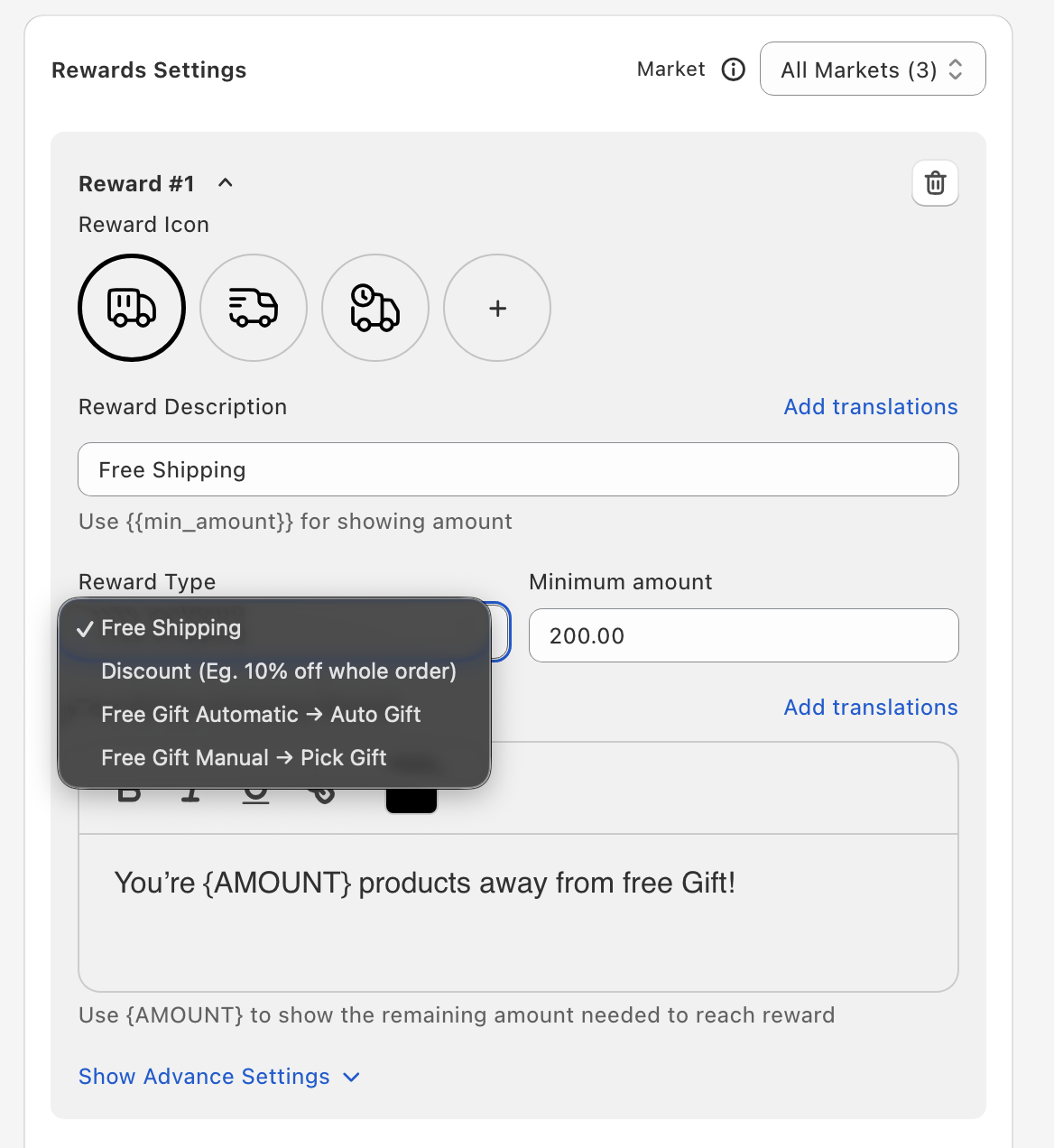
Reward types
- Free Shipping — Takes 100% off shipping once the cart reaches the threshold.
- Discount — A percentage or a fixed amount off the order once the cart reaches the threshold.
- Free Gift Automatic (shown as "Auto Gift") — Oxify adds the chosen product to the cart at $0 once the cart reaches the threshold.
- Free Gift Manual (shown as "Pick Gift") — Once the cart reaches the threshold, the shopper picks their gift from a card in the cart.
You can add up to 6 tiers. Use Free Gift Automatic tiers or Free Gift Manual tiers — not both in the same store.
Open the Cart Editor (Home → the Cart Drawer card → Manage Cart Drawer) and click Rewards in the left menu. If Rewards is off, click Enable.
Under Rewards Settings, click Add Reward. The new tier starts as a Free Shipping tier.
Pick the Reward Type.
Set the goal: Minimum amount (in your store currency) when Reward Basis is Cart Total, or Item Count when it is Item Count.
Discount tiers only: choose the Discount type (Percentage or Fixed amount) and enter the Discount.
Free gift tiers only: click Select Product and pick the gift (see Free gift product picker).
Customize the messaging. Reward Description is the label shown for this reward on the progress bar. Text Before Achieving Reward is the message above the bar — use {AMOUNT} (or {COUNT} for Item Count) to show what's left to reach the goal. The message shown once every reward is unlocked is Text after completing full rewards bar, under Other Settings.
Click Save.
Recommended starting setup
If this is your first reward tier, start with Free Shipping at a threshold ~30% above your average order value. It's the easiest reward to test and customers respond strongly to it.