
Free gift product picker
How to pick the right gift variant and keep your free-gift offers running smoothly.
When you create a free-gift reward tier, you need to pick which product the customer gets when they reach the threshold. This article covers how to pick the right variant and how to handle stock issues.
Pick a specific variant, not just a product
In the tier, click Select Product and choose the gift in Shopify's product picker. Add Another Reward Product adds a further gift product to the same tier.
- Free Gift Automatic tiers give away one specific variant of each gift product. If you select more than one variant of a product, Oxify shows "Please select only one variant of the product" and doesn't save your choice — so tick only the variant you want to give away. (A product with a single variant needs no extra step.)
- Free Gift Manual tiers let you select several variants of a product. Shoppers choose from what you selected — by default one gift per tier — and when a gift has more than one variant its button opens a variant chooser (that button's text is Bottom Sheet Button Text, "Select Gift" by default). You can change the picker's wording and look in the Free gift settings card on the Rewards screen.
Picking the variant yourself means you control exactly what you give away — for example the smallest size, a neutral color, or a low-cost variant rather than your most expensive SKU.
Keep the gift product in stock
If the gift variant runs out of stock, customers who reach the reward threshold won't be able to get it.
A few practical tips to avoid this:
- Use a gift product with deep stock. Pick something you reorder frequently or hold in large quantities — samples, branded merch, low-cost accessories.
- Avoid seasonal or limited-edition products as gifts. If you can't easily restock it, it's a poor gift choice.
- Monitor inventory. Keep an eye on the gift variant's stock in Shopify so you know when to swap it for a different product.
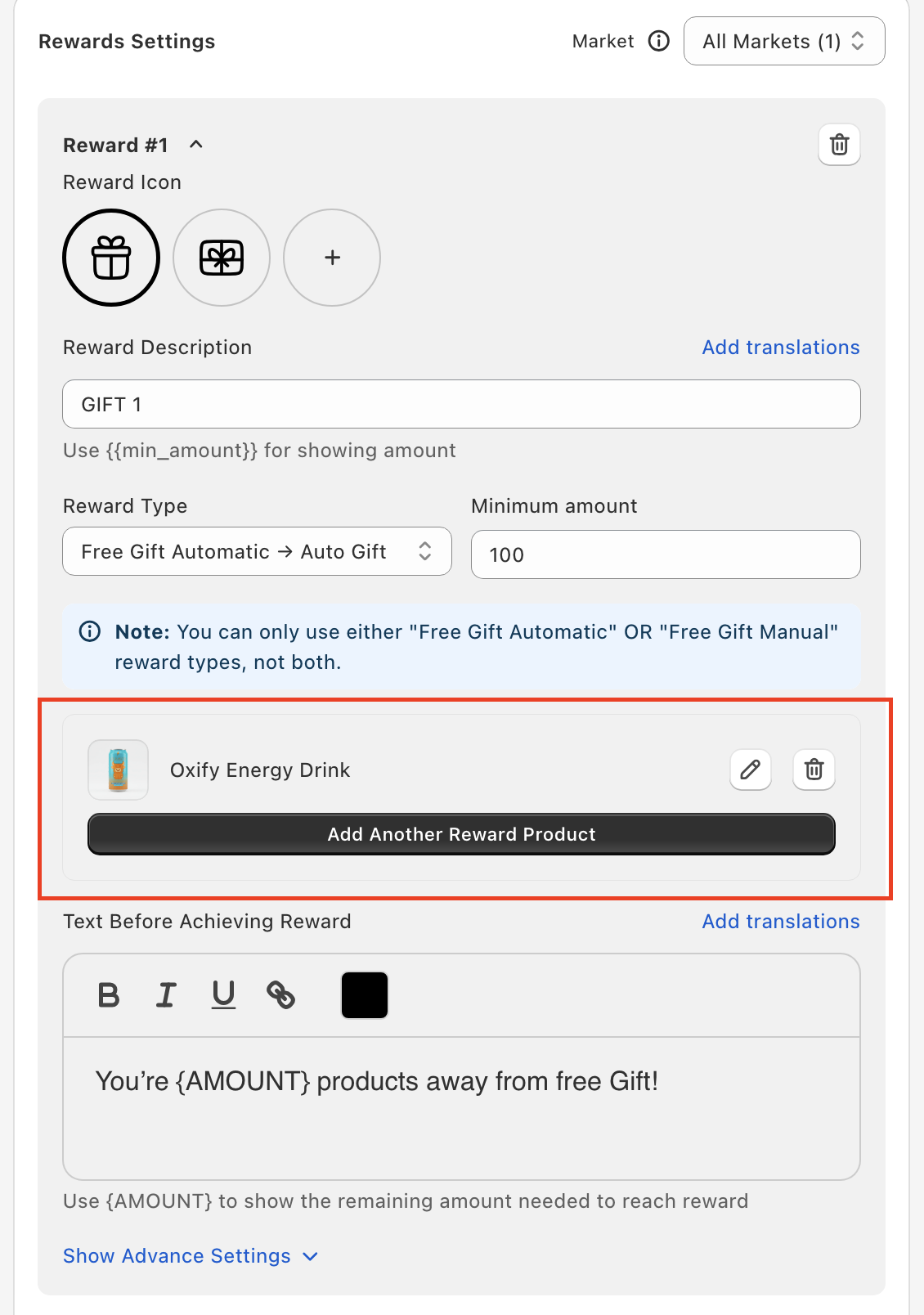
Changing the gift product
If your gift product is running low (or you just want to rotate to a new gift), you can swap it any time:
- Open Cart Editor → Rewards.
- Find the reward tier you want to update (Reward #1, Reward #2, and so on).
- Click the edit (pencil) icon next to the gift product and pick the new product — and variant — in Shopify's picker.
- Click Save.
Once you save, shoppers who reach the threshold get the new gift. Reload your storefront to test it.
Pick gifts with high perceived value but low cost to you. Samples, branded items, and accessories work well. Avoid using your top-margin SKUs as free gifts — the AOV lift won't compensate for the COGS hit.