
Multiple rotating announcements
Cycle through several messages in one bar, each with its own call to action.
Multiple rotating announcements cycle through a set of full announcements in the same bar. Each one has its own title, subheading, and call to action — so you can run several promos in a single strip of space.
Set it up
Open the announcement and go to the Content tab.
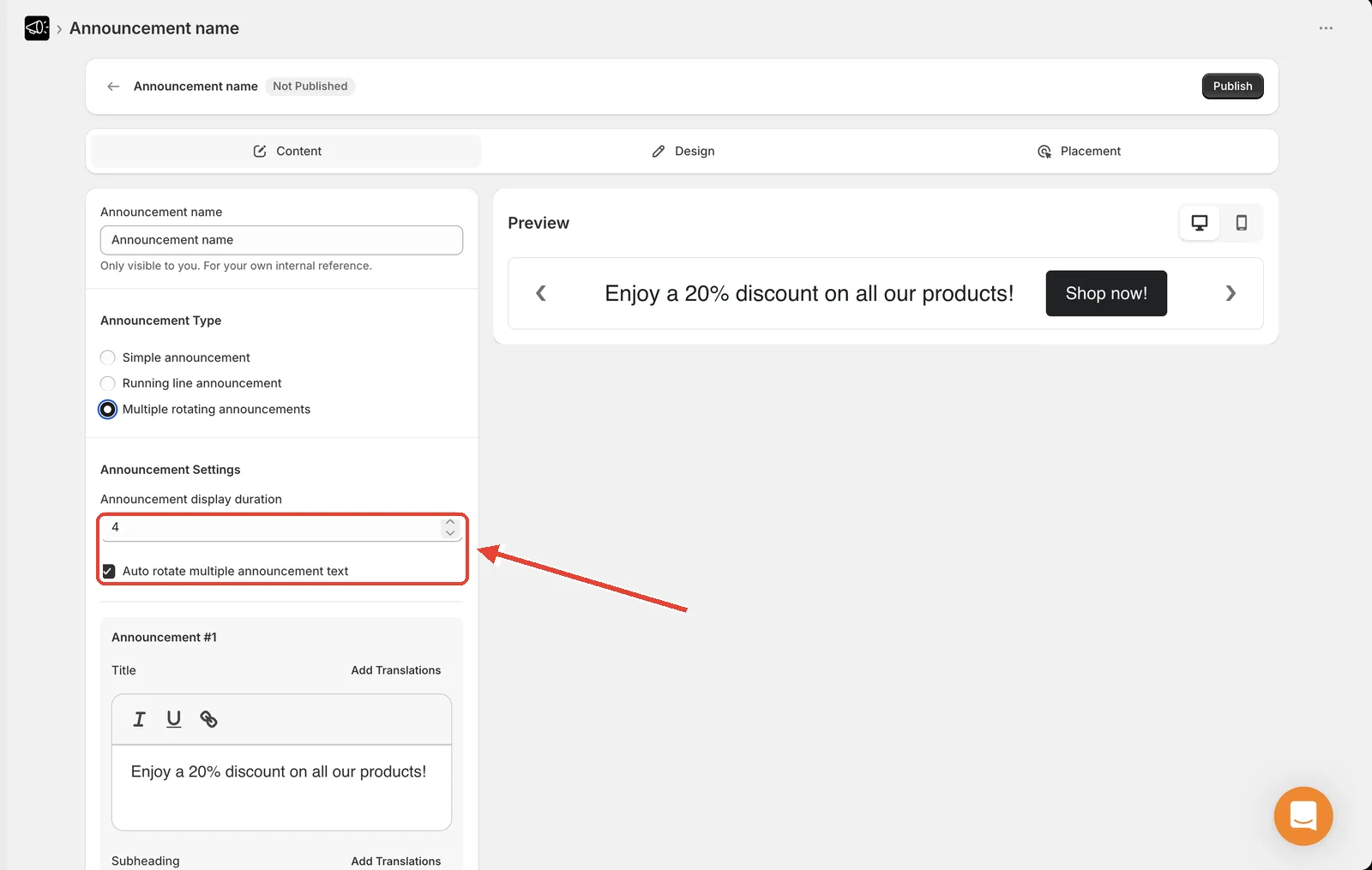
Under Announcement Type, select Multiple rotating announcements.
Set Announcement display duration — how many seconds each message stays on screen. Allowed range is 2 to 20; the default is 5.
Tick Auto rotate multiple announcement text so the bar cycles on its own.
Fill in Announcement #1.
Click Add Announcement to add the next one.
Click Save.
What each announcement contains
Every announcement in the rotation has its own:
- Title (required)
- Subheading
- Call to action — No Call to action, Button, or Make entire bar clickable
- Button text (when the CTA is a button)
- Call to action URL and Open link in new tab
This means each message can send customers to a different page.
Reorder the announcements
Each announcement card has up and down chevron buttons at the bottom.
Find the announcement you want to move.
Click the up chevron to move it earlier in the rotation, or the down chevron to move it later.
Click Save.
Remove an announcement
Click the red delete icon on that announcement's card, then Save.
Navigation arrows
Rotating announcements show back and forward arrows so visitors can step through the messages themselves. They appear automatically — there's no toggle to turn them on or off.
Hovering an arrow pauses the auto-rotation, so a visitor reading one message won't have it slide away mid-sentence.
You can style the arrows under Design → Icons → Navigation icon color. See Icon colors.
Tip
Two to three messages is the sweet spot. Beyond that, a visitor is unlikely to stay on the page long enough to see the last one — and your best offer might be the one they miss.
Set a display duration long enough to actually read the message. At 2 seconds most visitors will only catch a few words.