
Announcement types
Choose an announcement type
Compare the three announcement types and pick the right one for your message.
The Announcement Type card sits at the top of the Content tab. Pick the type first — it changes which fields the rest of the tab shows.
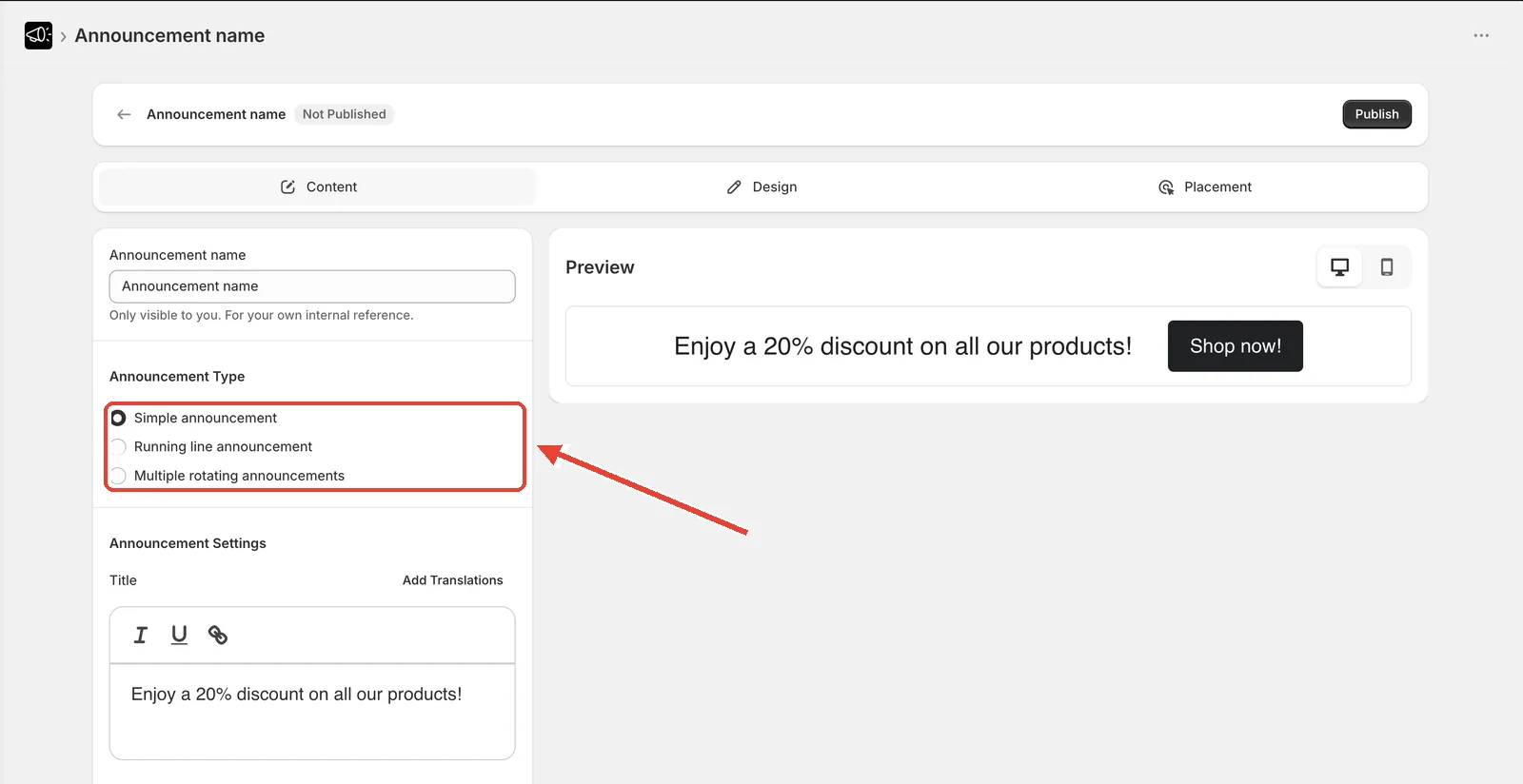
The three types
| Type | What it does | Best for |
|---|---|---|
| Simple announcement | One static title, plus an optional subheading | A single always-on message: free shipping, store notice, one promo |
| Running line announcement | Text scrolls continuously across the bar, marquee style | Urgency — flash sales, limited-time offers |
| Multiple rotating announcements | Several full announcements fade in and out on a timer | Running two or three promos in the same space |
Change the type
Open the announcement and go to the Content tab.
In Announcement Type, select the type you want.
The fields below update. Fill in the new fields, then click Save.
Switching type changes which fields apply. For example, Subheading, Coupon / Discount code, and Free shipping bar are only available on Simple announcement.
Feature availability by type
| Feature | Simple | Running line | Rotating |
|---|---|---|---|
| Title | ✅ | ✅ | ✅ |
| Subheading | ✅ | — | ✅ |
| Call to action | ✅ | ✅ | ✅ (per announcement) |
| Coupon / discount code | ✅ | — | — |
| Free shipping bar | ✅ | — | — |
| Multiple messages | — | ✅ (up to 6) | ✅ |
| Close icon | ✅ | ✅ | ✅ |
| Scheduling | ✅ | ✅ | ✅ |