
Add with the embed code
Paste a single div to place the Bundle Builder on any page of your store.
The embed code works anywhere you can write HTML — a Shopify page, a landing page builder, a custom theme section. No app block required.
Copy the code
Publish your builder — click Publish in the editor's page header (or Save, on a new builder). The code doesn't exist until then.
Open the builder and stay on the Settings tab.
Scroll to the Bundle Builder ID section and find Embed Code.
Click Copy Embed Code. You'll see Embed code copied to clipboard!
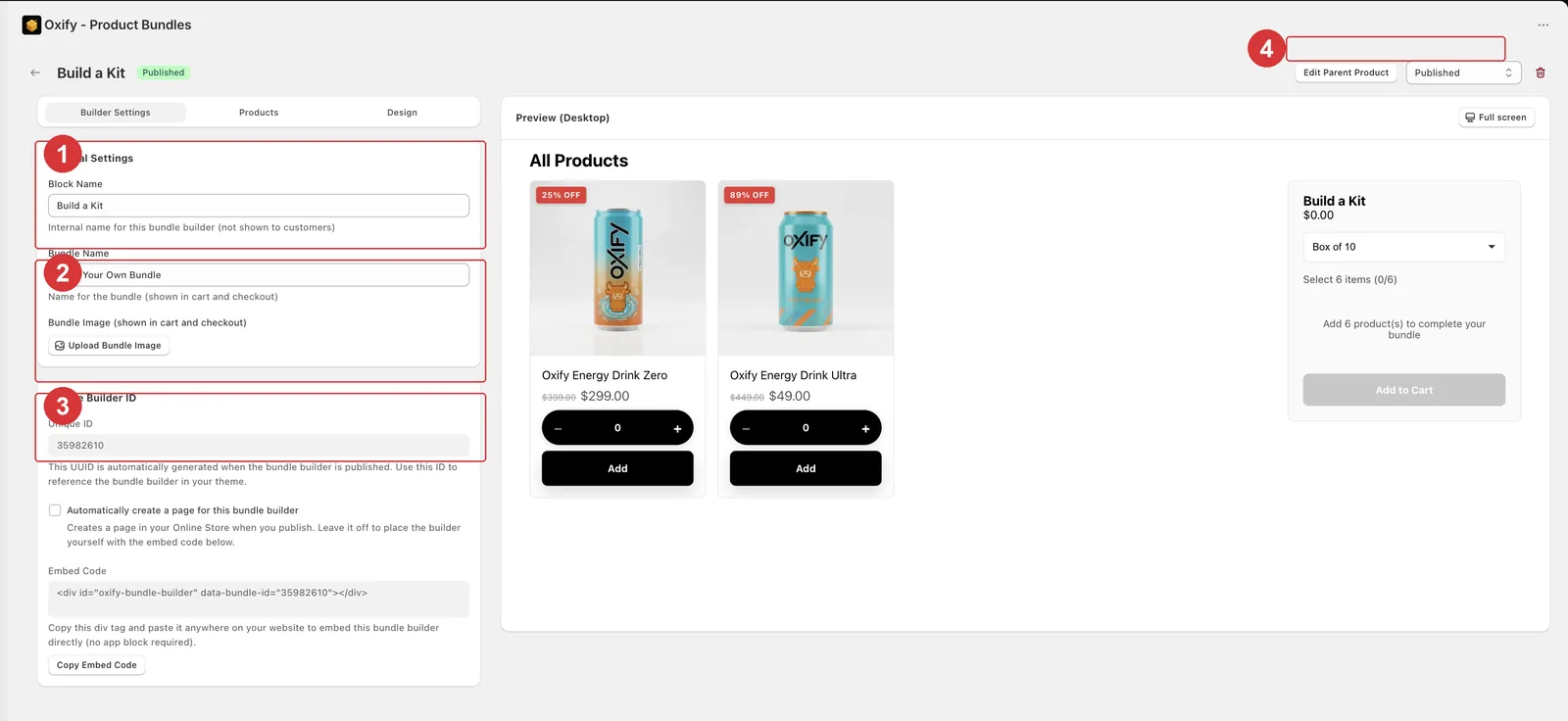
The Bundle Builder ID section (3) holds the Unique ID, the Embed Code and its Copy Embed Code button.
The code looks like this, with your own ID in place of the placeholder:
Paste it into a Shopify page
Go to Shopify admin → Online Store → Pages.
Create a new page, or open an existing one.
In the content editor, switch to the HTML / code view (the <> button).
Paste the code where the builder should appear.
Click Save.
Visit the page on your storefront to confirm it renders.
Paste it elsewhere
The same div works in a custom theme section, a page-builder HTML block, or any template you edit directly. Put it where you want the builder to sit in the flow of the page.
Before it will work
| Requirement | Why |
|---|---|
| The builder is published | The Unique ID is generated on first publish, and only published builders render. |
The whole div is copied | Including data-bundle-id. Without the attribute the div shows your oldest published builder instead, which may not be the one you meant. |
| The ID matches a published builder | An ID that doesn't match one renders nothing. |
| The app embed is active | It loads the script that fills the div. |
Simpler option
If you just need a standalone page, see Create a page for the builder.